Categories
Blog Mobile App Development

An Online Food Delivery App Development: A Step-by-Step Guide for 2025?  

Finding it hard to manage the orders coming to your restaurant? Are human errors causing you trouble and losses? This issue can be resolved by implementing a food delivery app for your business.  

Food delivery app development has turned out to be a trending solution in the market. It has helped many restaurant businesses to earn millions a year while simplifying the process of ordering food for consumers. To keep it simple, the development of a food ordering app has added convenience to the process of placing food orders and delivering them.  

Today, Shaligram Infotech will take you through the step-by-step guide to develop a food delivery app. We will also discuss the key challenges that our team faced when developing such an application.    

Different types of food delivery app models 

In this kind of model, food orders are placed by customers on the mobile application of a specific restaurant. The restaurant starts preparing the order once they accept it. The food is then delivered to the customer at their doorstep. Restaurants that are well-established and have dedicated delivery riders can go for this model. Some of such restaurants are Domino’s, KFC, etc.  

In this model, customers can place orders for food and get it delivered to their doorstep. Here, the app provides many restaurant options for the users to choose from. This can be ideal for restaurant businesses that are small and have no delivery drivers. Here a commission fee is charged by the app for the delivery service. Again, such an app offers real-time tracking to the customers for their food orders. Some of such examples are Uber Eats, Zomato, DoorDash, etc.    

Restaurant Panel  Customer Panel  Driver Panel  Admin Panel 
Dashboard  Sign-up & profile management  Registration  Registration & Profile management 
Order management Restaurant list  Delivery history  Manage customers
Add products  Geo location  Order management  Manage restaurants 
Account & management Food cart  Online support  One-click dashboard 
Restaurant profile  Payment mode  Call/chat option  Feedback management 
Track payments  Delivery address  Status update  Driver management 
Order reports  Order history    Payment management 
Offers/coupon management  Filters    Reset passwords 
Customer support  Review & rating    Campaign management 
  Push notification   Reporting & analytics 
      Discounts & promotions 

Step-by-step guide for online food delivery app development 

Our online food delivery app development is divided into a few steps, and they are

Step-by-step guide for online food delivery app development 

1. Product analysis 

To begin with, our team will conduct a competitor analysis to know the kind of apps that are present in the market. It will help us spot the unique features. To carry out the technical feasibility of the product, we also carry out our architecture analysis. In this phase, our team will finalize the architecture of the app and come up with a Product Requirement Document. The project timeline, priority features, and release plans will also be decided in this phase.  

2. UI/UX design research 

Our team carries out in-depth user research as a part of the user-centric approach in this step. This helps us to understand user preferences, needs, and behaviors. Based on that, we will come up with wireframes and prototypes that explain the user interface and flow of the application visually. After that, we bring out the aesthetics and usability of the app by developing visual elements. 

3. Technology selection

Based on the requirements of the project and the technical need, we will decide upon the technical stack for the project. Now this includes choosing the right programming languages, libraries, frameworks, and development tools. We will also select the right system and architecture for the database.    

4. Platform development 

At this stage, we develop different areas of the app like its infrastructure, frontend, backend, and database. Based on the items prioritized in the product backlog, functionalities, and features will be developed and implemented.  

5. QA 

To ensure high-quality apps are developed, we start by documenting the testing process which includes test cases, test data, and test plans. We make use of project management tools to track and manage bugs in the app project throughout its lifecycle.   

6. User acceptance testing 

To validate the app’s features and to collect user feedback, we carry out user acceptance testing with clients. After analyzing the received feedback, we quickly investigate the bugs or issues and iterate them.   

7. Delivery and release 

Once the app meets all the business requirements it is ready to be deployed over different environments. At each development environment, the app is tested and configured properly. Finally, the product is released to the environment of the client.  

Challenges faced during online food delivery app development 

1. Intense market competition 

The competition for food delivery app development in the market is high. Even if Uber Eats may not be present in remote areas, there will be still some local names popular. For any food delivery app business, it is not an issue to start locally. However, things change when it is time to expand and scale to new cities and regions.   

2. Scalability and sustainability of the app 

Developing food delivery applications is complicated. Food delivery applications perform multiple tasks and work on different APIs like maps, payment gateways, GPS services, etc. Apart from app functionality related to end-users, the food delivery app also includes backend features like processing personal data, processing transactions, managing security issues, and much more. Such things should be addressed even before app development starts.  

3. Basic features for the working app 

The first version of the food delivery app you develop is the main impression you create. It is challenging to come up with a full list of features that is required by your online food delivery application. Again, you are required to come up with the list before the development process starts. Here your main aim is to avoid developing something that will be of no use to your product; thus, saving on the budget.  

Conclusion 

Food delivery app development strategy requires to have a well-planned process in place apart from having a dedicated team. To attract and retain customers, the app is required to keep up with the latest trends like offering personalized experiences, advanced analytics, and multiple payment options.  


Categories
Blog Mobile App Development

How To Build a Successful On Demand Taxi Booking App For 2024?

The way we live our lives has greatly been influenced by digitalization and taxi booking needs have not been any different. Over the years, a number of taxi booking apps have popped up in the market, showing the way out to conventional taxi services.

As per the report of Mordor Intelligence, the online taxi booking sector is expected to reach USD 388.79 billion by 2028 while forecasting a growth at a CAGR of 8.95% for 2023-2028 period.


How does an on-demand taxi booking app work?


A taxi booking app lets the passengers choose the rides available in the local region by using GPS technology. There are a few steps involved in the process and they are: 


  1. Registration 

To start using the taxi booking app, the app user should start with the registration process. They need to provide personal information including their name, payment details and phone number.  

  1. Ride booking 

Once the user is registered, she/he can then start requesting a ride by entering the pickup and drop-off locations. The GPS in the app will identify the location of the user and will find the nearest driver for the ride. 

  1. Ride acceptance by driver 

Driver can choose to accept or reject a ride request that they receive. The user will be notified about the details of the driver along with the estimated time of arrival if the driver accepts the ride.  

  1. Tracking the ride 

The app comes with a map feature. The user can track the location of the driver using the map in real-time. The map also provides the estimated arrival time of the driver.  

  1. Payment 

On the completion of the ride, the user can pay the driver the fare through the app by selecting a payment method. The user can also provide feedback on the ride and rate the driver through the app.  

  1. Driver gets paid 

The driver receives the payment through the app. The app pays the driver after taking a commission for the ride.  


What are the key features of an Online Taxi Booking App?


A typical online taxi booking app development involves covering three important panels and it covers developing an admin app, a passenger app and a driver app. Together, they simplify the whole process of the taxi booking application. So, let’s see the key features required to develop each app segment.  


Admin panel 

    • Managing drivers: Admin can track the rides and ratings of the drivers using this feature and maintain service quality.  
    • Managing passengers: Admin can manage the account details of the passengers using this feature. 
    • Managing discounts, coupons and promos: This feature lets the admin manage discounts and promo offers for each ride without any complications.


    Passenger Panel 

      • Login and signup: This feature lets app user to login into the app using their Gmail or social media account or phone number.  
      • Create profile: This feature lets passengers edit their profile details including their information, passwords and credentials. 
      • Add location: Passenger can either add a location automatically or manually using this feature. To make that happen, Google Map API can be integrated into the app.  
      • Payment methods: This feature lets passengers choose from different payment options added in the app as per their preference. 
      • Location tracking: Once the ride is confirmed, the passenger will get the estimated time of driver arrival along with real-time location tracking.  
      • Live maps: This feature will display a live map that shows the locations of nearby available drivers.   
      • Select driver: This feature will display the list of drivers that are available in the same locality once the passenger requests a ride.  
      • Select a ride: This feature lets the passenger book a cab and add in the destination. While placing the request, the app will also show the estimated time and cost of the ride.  
      • Rating system: This feature lets the passenger give reviews and ratings to the driver based on their ride experience.  
      • Notifications: Now keep passengers updated with their ride confirmation, offers, payment, estimated travel time and much more using this feature.  
      • In-app chat/call: Passengers can get in touch with the driver once the ride has been accepted using the in-app chat or calling feature without having to make their number public.  


      Driver Panel 

        • Registration and login: Driver can register and then login to the app using the same credentials. The driver needs to verify the details of his/her car registration here.  
        • Driver profile: Driver can add and edit his/her personal details including name, car details, phone number, etc. here.  
        • Availability status: Drivers can mark their availability by entering their duty hours with this feature.
        • Geolocation: This feature will let the users to quickly spot the location of the passenger and reach their destination through the fastest route.  
        • Navigation: This feature lets drivers select the best route that can help them take the passenger to their destination within less time.     
        • Accept/reject requests: This feature lets the drivers accept or reject ride requests based on their availability.  
        • Notification: This feature sends alerts to the passengers regarding trip information, road details, payment status, cancellations, etc. 
        • Earnings: Drivers can access this feature to get a complete report of their monthly trips and earnings. 
        • Ride estimation: With this feature, drivers can calculate the total cost of the trip along with discounts.  


        Additional features to have in a Taxi Booking App 


        Apart from the key features, on-demand taxi booking app development can include some additional features and they are: 

        • Dynamic pricing 

        This feature lets the app set the fares of the ride based on availability and demand. This will ensure the ride is always available for the passengers.  

        • Shared rides 

        This feature lets passengers save money on their rides by sharing it with people who are travelling in the same direction.  

        • Scheduled rides 

        This feature lets the passengers use the app for scheduling rides for future plannings. So, whether it is about arriving on time for a doctor’s appointment or needing a ride to the airport, this feature can help. 

        • In-app payments 

        This feature lets the passengers to quickly and conveniently pay for their rides directly through the mobile app.  

        • Corporate accounts 

        This feature lets corporates to manage ride expenses for their employees by creating and managing their accounts.  


        Step-by-Step Guide to Build an On-Demand Taxi Booking App 


        Building a successful app requires proper planning in place. Here are the steps included in on-demand taxi booking app development: 

        1. Market research 

        The first and foremost step in online taxi booking app development is to conduct thorough research and, based on that, gather all requirements. After analyzing your target audience and your app model, the feasibility of your app idea is tested. Now this includes: 

        • Studying your target audience and their requirements. 
        • Choosing a good business model after identifying your competitors. 
        • Choosing a favorable revenue model 
        • Calculating the cost of your app development 


        1. Brainstorming ideas 

        Before starting the work on taxi app development, the experts on the development team look for various possibilities. Based on the finalized outcome, a blueprint for the project is developed. 


        1. Requirement gathering 

        Based on the decided scope and timeline of the project, the required features, functionalities, design and tech stack for the project are decided.


        1. Prototyping 

        In this step, the MVP of the app is designed by the team. Based on the areas of improvement, changes are made to the app design.  


        1. UI/UX design

        Based on the finalized MVP, the designing of the app starts in this stage. The UI/UX team starts by designing an intuitive and attractive user interface for the app by including amazing graphics, motions and realistic visuals.


        1. Development 

        Once the UI/UX designing is done for the app then it is time to work on the app backend. The features and functionalities for the app are developed by the developers by writing code in the selected programming language.


        1. Quality Analysis 

        It is important to ensure the developed app project is bug-free and error-free. To make that happen, the QA team carries out in-depth testing of the app and fixes issues in the process.


        1. Deployment 

        Once the quality of the app is checked and it is optimized for different aspects then it is time to launch the app on the various app stores and on your server. Once this process is completed then it is time for the company to run its taxi business. 


        1. Support & maintenance 

        Launching the app is not the end of development and the start of a successful taxi business. To keep up with the changing market needs, customer demands and to ensure the app works optimally, it is important to carry out support & maintenance.  


        Cost of developing an On-Demand Taxi Booking App


        When thinking about starting a taxi business, the first thought that comes to our mind is about what will be the taxi app development cost? The answer for this is not that straight as it feels. You need to think about a few things apart from just money. It includes the number of features included, location of the app, scope of the project, complexity of the functionalities, etc.  

        It is important to carry out enough research and decide on the above-mentioned factors as per your business needs before you hire an app development company. Also keep in mind that the technologies you choose also affect the cost of app development. 

        Building a taxi booking app involves a lot of complex features and different modules. This means you will need a skilled development team with enough years of experience for the job and this can increase your app development budget too.  


        Conclusion 

        Now that you know the essential features you need to have in your taxi booking app and its process, it is time to plan and invest in online taxi booking app development that suits your business. 

        When going for a taxi mobile app development, you need to consider a few things for sure. This includes the time and cost involved in the app development and choosing the right mobile app development company.  

        Being a leading mobile app development company in the market, we are committed to offering you top-notch app development services. So, get in touch with our team and we will ensure to give the best shape to your app idea. 

        Categories
        Blog Mobile App Development

        How to Hire the Right Flutter Developers for Your Project?

        Planning to hire Flutter app developers to build a mobile application for your business? If yes, then this article will definitely interest you. Flutter is a flagship project of Google which is used to build high-quality cross-platform applications. The speed, simplicity and cost-effectiveness, apart from other features, that it brings to the table is what has made it a popular framework for cross-platform app development.


        Why are Flutter Developers high in demand? 


        One of the main reasons for increased demand and popularity of Flutter app developers is because of the role of the framework in developing powerful cross-platform applications using a single codebase. Flutter comes with a rich set of UI components, hot reload functionality and faster development cycles, making it an ideal solution for startups and small businesses. Flutter developers can come up with high-performing and visually appealing applications for Android and iOS platforms using the framework.


        Why is it beneficial to invest in Flutter app developers?


        Whether it is from a business or developer point of view, Flutter offers a few good benefits for sure. They are: 

        • Cost Savings

        With Flutter, developers can simultaneously build applications that work on different platforms, unlike building individual applications for Android and iOS platforms. Again, use of single codebase reduces the development expenses drastically. 

        • Faster Development

        With Flutter, you can develop mobile applications quickly using widgets and can be assured that it will be compatible with 6 different platforms. Moreover, Flutter is popular among the developer community for being an effective tool for developing MVPs.

        • Hot Reload

        One of the popular features of the Flutter framework is Hot Reloading. With this feature, the state of the app can be maintained while the code is being modified. 

        • MVP Development 

        Flutter now has a new tool named Flutterflow. The tool can develop prototypes within a few hours and thus save startups with their MVP development costs. Such a solution will help the business to receive funding or verify user experience.

        • Support from Google 

        Flutter is the flagship project of Google and is built on the programming language named Dart that has been developed by the same company. This indicates that solutions developed using Flutter can be easily accommodated by Google services and integrated into its APIs.

        • Support for Website Development 

        It is easy to build and maintain websites developed with Flutter. Flutter developers can come up with native-like PWAs with interactive features. Moreover, it has been found that Flutter can be used to build content-driven websites that accommodate dynamics designs.


        Things to consider when Hiring Flutter Developers for your Project


        hiring Flutter developers for your project


        There are a few things you need to consider when you plan to hire Flutter developers for your project. They are as mentioned below:

        • Be clear about your Goals and Requirements

        Before getting ahead with the process of finding Flutter developers, you need to be clear about a few things first. You should have maximum information on your project requirements. If you have any specific requirements, then you should mention them in the requirement document along with your project goal.  

        • Be clear about the budget and Project Deadline 

        Be clear about your budget and limit of spending along with an estimated timeline. You should also consider the bottlenecks that come your way. You can get in touch with a reliable Flutter app development company to get a proper estimate of app development.  

        • Prepare your checklist for screening Flutter Development Team 

        Be clear about a few things like the seniority of the developers and their experience in this specific industry domain. You should also consider the mode of communication you prefer along with the additional languages that you expect the developers to speak. The time zone of the developers as well as their knowledge of different tech stacks should also be considered. 

        • Select a reliable Flutter App Development Company 

        Check client reviews on popular sites like Clutch, ask for customer references and portfolios, know more about their development process, inquire about their communication and update practices, etc.  

        • Get an NDA and a contract signed

        It is important that both parties sign an NDA to keep all sensitive information secure and respect the terms of the agreement. The document should take care of all the project details including specifications, timeline, etc.

        • Be clear about project management

        It is important to have a project manager in place to take care of your Flutter app development. So be clear about who will be managing it for you. Do you have a PM in-house or need one from the development team? Together you both can decide the reporting process and project progress.


        Conclusion


        Apart from building cross-platform applications, Flutter helps businesses to save a lot of time and development costs on app development. This is the reason for increased demand for Flutter developers. However, it is important to take care of a few things when you are looking for Flutter developers for your business project.

        Categories
        Blog Mobile App Development

        A sneak peek into Swift’s Async/Await Concurrency Model

                   func method1() async {         //Do Something.     }         func method2() async {         //Do Something.     }

                await method1()         await method2()  

                 Task.init {             await method1()             await method2()         }  

            //Declaration    func method1(_ completion: @escaping (String) -> Void) {        //Do Something.       completion(“value”)    }        func method2(_ name: String) {       //Do Something.    }        //Execution    method1 { name in        self.method2(name)    }    

        Now with the help of async/await, we can directly get the value from the first method, await for that value, and then continue the execution.


               //Declaration     func method1() async -> String {         //Do Something.         return “Value”     }         func method2() async {         let name = await method1()         print(name)     }         //Execution     await method2()


        Conclusion

        In this blog, we saw, what the async/await feature is, why it should be used, and what we used to do before having it.

        Async/await is good for our processing chips. Here every asynchronous method separates its thread. So, the main thread does not get so much pressure. Moreover, it saves time for users that was otherwise spent waiting for any method to complete its execution.

        Categories
        Blog Mobile App Development

        Android Vs iOS App Development – Which is Right for Your Business?


        For ages, it has been always difficult for businesses to choose between Android or iOS platforms for their mobile app development needs. If iOS is said to bring in more revenue, then Android is said to enjoy the largest market share. Both platforms are unique in their own sense.


        Android vs iOS – Understanding the Mobile Technologies 


        Over the last few years, the mobile app development arena has grown significantly. For businesses, this means there are many opportunities to consider. However, the most common dilemma that businesses face is choosing the right mobile app development platform between Android and iOS. Now this can be hard as both of them come with their own set of pros and cons.  

        With more businesses turning mobile-centric, it would be good for them to know which mobile platform can benefit them more as compared to another one.  

        Here, in this post, we will see both Android vs iOS platforms in detail and then decide which can offer you more benefits as compared to the other one. 


        What is iOS app development?  


        iOS is a mobile app development platform that has been developed and maintained by Apple. This operating system had been specifically developed for Apple’s devices like iPhones and iPods. To develop applications using iOS, developers used C, C++, Swift, and Objective C programming languages. Of all these, Swift was used the most.


        What is Android app development? 


        Android platform is used to create applications that run on Android-powered devices. Android applications are developed for various purposes and for different industries. These applications are developed using programming languages like Kotlin or Java.

        User Demographics and Market Share


        It would be wise to know about user demographics and market share of Android and iOS apps. A better understanding of these things will help app developers and marketers to pinpoint and reach their target audience effectively. Here, we will see how market share and user demographics impact the success of an iOS and Android app.

        User demographics of Android and iOS apps 


        There is a significant difference in the user demographics of Android and iOS users. In the general case, the users of iOS devices are wealthy, young, and more educated while Android users cover larger demographics and usually belong to lower income groups as compared to iOS device users. 

        Market share of Android and iOS apps 


        As per statistics from Statista, Android is the leading mobile app platform even in 2023’s second quarter and it enjoys a market share of 70.8%. Now if we look at iOS, it enjoys a 28.4% market share for the same quarter. However, if we look at the market share region-wise, iOS enjoys a higher rate in regions like the United States.

        How is an app success influenced by user demographics and market share? 


        It is crucial for app developers and marketers to have a clear idea of the user demographics and market share when they are trying to reach their target audience base. If you are looking for an app that targets a larger mass with low-income groups, then you should consider Android app development and plan out your marketing efforts accordingly. Now, on the other hand, if your app is targeting a wealthier, young crowd that believes in easy spending, you should invest in iOS app development and plan out your marketing strategy accordingly.

        Languages Vs. Tools Used App Development 


        Android and iOS are different mobile operating systems that make use of different languages and tools for carrying out app development. So, to help you out in selecting the right app platform for your business, let’s compare the tools and languages used for Android and iOS app development.

        Languages used for Android app development


        Java is the most common language used for Android app development. Apart from that, Kotlin is used in the modern-day to build Android apps. Compared to Java, Kotlin is more expressive and concise.

        Tools used for Android app development


        Android development is majorly carried out using Android Studio. It is an IDE and is built on IntelliJ IDEA and comes with debugging tools, a code editor, and an Android emulator. To design user interfaces, Android Studio comes with a graphical layout editor.

        Languages used for iOS app development


        Swift, which has been developed by Apple, is specifically used for carrying out iOS app development. As compared to Objective-C, which was previously used for iOS app development, Swift is faster, safer, and easy to learn and apply.

        Tools used for iOS app development


        Majorly, iOS app development is carried out using Xcode. It is an IDE that comes with debugging tools, a code editor, and an iOS simulator. To design user interfaces, Xcode comes with a graphical tool named Interface Builder. 

        Security And Privacy Features


        Whether to choose Android or iOS has always been a point of debate. The selection of platforms also depends on the security and privacy features they offer.  

        iOS security and privacy features 


        iOS comes with robust security features. Apple follows a strict review policy when it comes to publishing the apps on their App Store. Moreover, iOS ensures that the apps follow secure connections for data transmission by having a feature called “App Transport Security”. Apart from that, the “Sandboxing” feature of iOS limits apps from accessing the resources present on the device.  

        Just like security, Apple gives equal importance to privacy. For the same reason, Apple implemented a feature called “App Tracking Transparency”. This feature made the apps request the permission of users to track their data over websites or apps. Moreover, developers were made to disclose the kind of data they collected and used from the users by introducing a feature called “Privacy Labels”. 

        Android security and privacy features 


        Over the years, the security features of Android have been updated multiple times. Similar to that of Apple, Google has also implemented an app review process before publishing one on the Google Play Store. Again, to check apps for security threats and malware, Google has introduced the “Google Play Protect” feature. Furthermore, Google also restricts the kind of information that is accessed from the devices by introducing “Application Sandboxing.” 

        To scan apps for privacy threats, Google has implemented the “Google Play Protect” feature. The “Permissions” feature of Android lets users control what amount of data can be accessed by the apps.

        Integration With Third-party Devices


        Different approaches 

        When it comes to integration with third-party devices, Android and iOS have different approaches. iOS lets you build applications for a limited number of devices as it has a closed ecosystem. On the other hand, Android lets you build applications for many devices with variations as it is an open ecosystem.  

        Device compatibility 

        Before going ahead with development, investigate the third-party devices into which you want to integrate your app. Check whether developers have access to the API or SDK of the devices or not. Knowing that will help to know whether it will be easy or difficult to integrate the app into the device.  

        Framework selection 

        Whether it will be easy or tough to integrate an app with third-party devices can be known by the framework you choose. For iOS, mostly Apple’s Core Bluetooth framework is used as it let applications seamlessly communicate with Bluetooth-enabled devices. In the case of Android, Android Open Accessory Development Kit is used as it helps have easy communication with Bluetooth and USB devices. 

        Stay up to date with changes 

        Android and iOS go through constant changes and upgrades. Such changes will affect the integration with third-party devices. This means it is important to regularly look for updates and check for APIs or SDKs if they are available.

        Pros & Cons of Android and iOS App Platforms 


        Pros & Cons of Android and iOS App


        In a nutshell of Android vs iOS App Development


        Currently in the market, Android and iOS are considered to be the two major mobile operating systems. Android is an open-source platform and so is available on a variety of devices coming from manufacturers like Google, Samsung, etc. While iOS developed by Apple is limited to its iPhones and iPads.  

        When choosing a platform between Android and iOS, you need to consider a few things. Android offers many customization options and is more flexible as compared to iOS. The devices with Android are available at different prices. As compared to iOS devices, Android devices have more battery life too.  

        iOS devices, on the other end, have strong hardware, are more secure, and offer unmatched user experience. It is used by many businesses as it easily integrates with a number of productivity apps like Keynote, Pages, and Numbers.  

        Ultimately, whether to choose iOS or Android completely depends on the preferences and requirements of the business.

        Categories
        Blog Mobile App Development

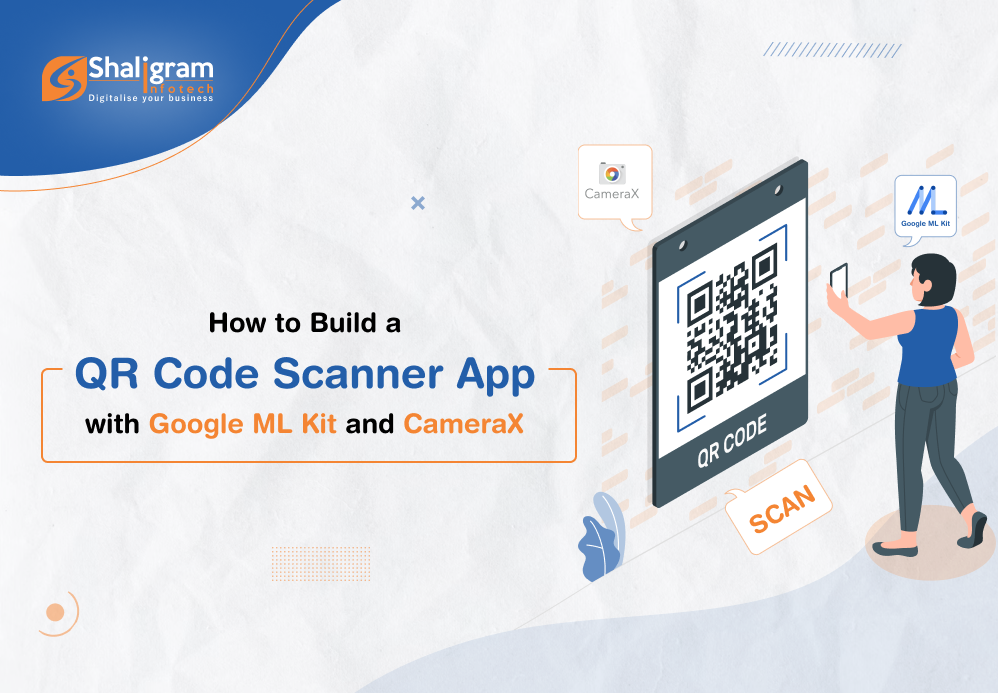
        How to build a QR code scanner app using Google ML Kit and CameraX?

        One of the most common and asked-for functions in a mobile application is a QR code scanner. QR codes and bar codes work as an effective way of passing information to people using an app.
        Here in this post, we will see how we can build a QR code scanner app using Google ML Kit and Camera X.

        What is CameraX?

        CameraX is a part of the Jetpack support library. It provides an easy-to-use and consistent API surface which works equally well on most Android devices. It simplifies the app development process for developers by adding new capabilities. Here you don’t have to include any kind of device-specific codes which nullifies device compatibility issues altogether.


        What is Google ML Kit?

        Google ML Kit is a mobile SDK that brings the machine learning expertise of Google to iOS and Android apps. It is an easy-to-use and powerful package from Google that helps developers to come up with personalized solutions that will work smoothly across different devices.


        What is the QR code scanning API of ML Kit?

        The QR code scanning API of ML Kit lets you read encoded data using the most standard QR/barcode code formats. The data will be recognized and parsed automatically by the ML Kit when a user scans the code letting your app respond quickly and smartly.

        Let’s create a QR code scanning project

        To create a project…

        1. Go to Android Studio. Select New Project under File with an Empty Screen template.

        2. Now open the AndroidManifest.xml file to add camera permission & camera hardware permission. Here add the below-mentioned code into the manifest tag-

        <uses-permission android:name="android.permission.CAMERA" />
        <uses-feature android:name="android.hardware.camera" /> 

        3. Open the app/build.gradle file and add a dependency for CameraX & QR code scan by mentioning the below set of codes.

        //For barcode scanner(QR Code Scan)
            implementation 'com.google.mlkit:barcode-scanning:17.1.0'
            //For CameraX
            implementation("androidx.camera:camera-core:1.2.2")
            implementation("androidx.camera:camera-camera2:1.2.2")
            implementation("androidx.camera:camera-lifecycle:1.2.2")
            implementation("androidx.camera:camera-view:1.2.2")
          To enable databinding, set dataBinding to true for build features within the Android tag as mentioned below:
        	buildFeatures {
                dataBinding = true
            }
        

        4. Now add PreviewView in the main activity layout (activity_main.xml).

        PreviewView is the custom View that displays the camera feed for the Preview use case of CameraX.

        <?xml version="1.0" encoding="utf-8"?>
        	<androidx.coordinatorlayout.widget.CoordinatorLayout xmlns:android="http://schemas.android.com/apk/res/android"
        	    xmlns:app="http://schemas.android.com/apk/res-auto"
        	    xmlns:tools="http://schemas.android.com/tools"
        	    android:layout_width="match_parent"
        	    android:layout_height="match_parent"
        	    android:background="#000000"
        	    tools:context=".QrScannerActivity">
        	    <androidx.cardview.widget.CardView
        	        android:layout_width="300dp"
        	        android:layout_height="300dp"
        	        android:layout_gravity="center"
        	        app:cardCornerRadius="20dp">
        	        <RelativeLayout
        	            android:layout_width="match_parent"
        	            android:layout_height="match_parent">
        	            <androidx.camera.view.PreviewView
        	                android:id="@+id/preview"
        	                android:layout_width="300dp"
        	                android:layout_height="300dp"
        	                android:layout_centerInParent="true"
        	                android:layout_centerHorizontal="true" />
        	            <androidx.appcompat.widget.AppCompatImageView
        	                android:layout_width="300dp"
        	                android:layout_height="300dp"
        	                android:layout_centerInParent="true"
        	                android:layout_centerHorizontal="true"
        	                android:background="@drawable/background_image" />
        	        </RelativeLayout>
        	    </androidx.cardview.widget.CardView>
        	</androidx.coordinatorlayout.widget.CoordinatorLayout>
        

        5. The next step is to check camera permission to use cameraX for QR Code Scan is available or not. If it is not granted, we must request it in our codes.

        class MainActivity : AppCompatActivity() {
        		private lateinit var binding: ActivityMainBinding
        	    override fun onCreate(savedInstanceState: Bundle?) {
        	        super.onCreate(savedInstanceState)
        	        binding = ActivityQrScannerBinding.inflate(layoutInflater)
                	setContentView(binding.root)
        	        if (isCameraPermissionGranted()) {
        	            // startCamera
        	        } else {
        	            ActivityCompat.requestPermissions(
        	                this,
        	                arrayOf(Manifest.permission.CAMERA),
        	                PERMISSION_CAMERA_REQUEST
        	            )
        	        }
        	    }
        	    override fun onRequestPermissionsResult(
        	        requestCode: Int,
        	        permissions: Array<String>,
        	        grantResults: IntArray
        	    ) {
        	        if (requestCode == PERMISSION_CAMERA_REQUEST) {
        	            if (isCameraPermissionGranted()) {
        	                // start camera
        	            } else {
        	                Log.e(TAG, "no camera permission")
        	            }
        	        }
        	        super.onRequestPermissionsResult(requestCode, permissions, grantResults)
        	    }
        	    private fun isCameraPermissionGranted(): Boolean {
        	        return ContextCompat.checkSelfPermission(
        	            baseContext,
        	            Manifest.permission.CAMERA
        	        ) == PackageManager.PERMISSION_GRANTED
        	    }
        	    companion object {
        	        private val TAG = MainActivity::class.java.simpleName
        	        private const val PERMISSION_CAMERA_REQUEST = 1
        	    }
        	} 



        [ExecutorService: The ExecutorService helps in maintaining a pool of threads and assigns them tasks. It also provides the facility to queue up tasks until there is a free thread available if the number of tasks is more than the threads available.]


        6. Now is the time to implement camera Preview use case.

        You need to define a configuration to use a Preview and it is used to create an instance of the use case. You can bind the CameraX lifecycle with the resulting instance once it is created.


        ProcessCameraProvider is a singleton which is used to bind the lifecycle of cameras to the lifecycle owner. This way CameraX remains aware of the lifecycle of camera, allowing you to be stress-free about its opening and closing.


        Add a Runnable to get cameraProviderLiveData value from cameraProviderFuture. Also, declare camera executor to manage thread.

        cameraExecutor = Executors.newSingleThreadExecutor()
        	cameraProviderFuture = ProcessCameraProvider.getInstance(this)
        	cameraProviderFuture?.addListener({
        	            try {
        	                val processCameraProvider = cameraProviderFuture?.get()
        	                //bind camera view here
        	            } catch (e: ExecutionException) {
        	                e.printStackTrace()
        	            } catch (e: InterruptedException) {
        	                e.printStackTrace()
        	            }
        	        }, ContextCompat.getMainExecutor(this))
        

        7. First, bind view with CameraX. After that, bind your cameraSelector and preview object to the processcameraProvider.

        [ImageCapture is designed for basic picture capturing. It provides takePicture() function which captures a picture, saves it to memory or a file, and provides image metadata. Pictures are taken in automatic mode once focus is converged.]

        [Detecting Barcode: We’ve used ImageAnalysis feature to implement it. It allows us to define a custom class which will implement the ImageAnalysis.Analyzer interface and in turn will be used to call the camera frames that come in.]

        val preview = Preview.Builder().build()
        	        val cameraSelector =
        	            CameraSelector.Builder().requireLensFacing(CameraSelector.LENS_FACING_BACK).build()
        	        preview.setSurfaceProvider(binding.preview.surfaceProvider)
        	        val imageCapture = ImageCapture.Builder().build()
        	        val imageAnalysis = ImageAnalysis.Builder().setTargetResolution(Size(1280, 720))
        	            .setBackpressureStrategy(ImageAnalysis.STRATEGY_KEEP_ONLY_LATEST).build()
        	        imageAnalysis.setAnalyzer(cameraExecutor!!, analyzer!!)
        	        processCameraProvider?.unbindAll()
        	        processCameraProvider?.bindToLifecycle(
        	            this,
        	            cameraSelector,
        	            preview,
        	            imageCapture,
        	            imageAnalysis
        	        )

        8. The next step is to create custom class for image analysis & get incoming camera frames. Now here we don’t have to worry about managing the camera session state or even disposing of images. Just like with other lifecycle-aware components, binding to our app’s desired lifecycle is enough.

        class MyImageAnalyzer(private val activity: Activity) : ImageAnalysis.Analyzer {
        	        override fun analyze(image: ImageProxy) {
        	         	//we can analysis images here
        	        }
        	    } 

        9. We process incoming frames on ImageProxy and get images from it. We then detect barcode with ML barcode scanner.

        To detect barcode, we need to create InputImage from Image. Then, pass the InputImage object to the BarcodeScanner’s process method as explained below:

        @SuppressLint("UnsafeOptInUsageError")
        	        private fun scanBarCode(image: ImageProxy) {
        	            val image1 = image.image
        	            if (image1 != null) {
        	                val inputImage = InputImage.fromMediaImage(image1, image.imageInfo.rotationDegrees)
        	                val barcodeScannerOptions = BarcodeScannerOptions.Builder()
        	                    .setBarcodeFormats(
        	                        Barcode.FORMAT_QR_CODE,
        	                        Barcode.FORMAT_AZTEC
        	                    )
        	                    .build()
        	                val scanner = BarcodeScanning.getClient(barcodeScannerOptions)
        	                scanner.process(inputImage)
        	                    .addOnSuccessListener { barcodes ->
        	                        // Task completed successfully
        	                        // ...
        	                        readerBarcodeData(barcodes)
        	                    }
        	                    .addOnFailureListener {
        	                        // Task failed with an exception
        	                        // ...
        	                    }.addOnCompleteListener {
        	                        image.close()
        	                    }
        	            }
        	        }
        	        private fun readerBarcodeData(barcodes: List<Barcode>) {
        	            for (barcode in barcodes) {
        	                Log.e(
        	                    "barcode recognize", "QR Code: " + barcode.displayValue
        	                ) //Returns barcode value in a user-friendly format.
        	                Log.e(
        	                    "barcode recognize", "Raw Value: " + barcode.rawValue
        	                ) //Returns barcode value as it was encoded in the barcode.
        	                Log.e(
        	                    "barcode recognize", "Code Type: " + barcode.valueType
        	                ) //This will tell you the type of your barcode
        	                Toast.makeText(activity, barcode.displayValue, Toast.LENGTH_SHORT).show()
        	            }
        	        } 

        That’s it!
        Now this should allow you to scan QR code using the camera on your Android device. You should be able to capture the QR code, scan it and read the information fed into it.


        Here is the complete code for creating QR Code Scanner with Google ML Kit and CameraX:

        class MainActivity : AppCompatActivity() {
        	    private lateinit var binding: ActivityMainBinding
        	    private var cameraProviderFuture: ListenableFuture<ProcessCameraProvider>? = null
        	    private var cameraExecutor: ExecutorService? = null
        	    private var analyzer: MyImageAnalyzer? = null
        	    override fun onCreate(savedInstanceState: Bundle?) {
        	        super.onCreate(savedInstanceState)
        	        binding = ActivityMainBinding.inflate(layoutInflater)
        	        setContentView(binding.root)
        	        this.window.setFlags(1024, 1024)
        	        if (isCameraPermissionGranted()) {
        	            // startCamera
        	            startCamera()
        	        } else {
        	            ActivityCompat.requestPermissions(
        	                this,
        	                arrayOf(Manifest.permission.CAMERA),
        	                PERMISSION_CAMERA_REQUEST
        	            )
        	        }
        	    }
        	    private fun startCamera() {
        	        cameraExecutor = Executors.newSingleThreadExecutor()
        	        cameraProviderFuture = ProcessCameraProvider.getInstance(this)
        	        analyzer = MyImageAnalyzer(this)
        	        cameraProviderFuture?.addListener({
        	            try {
        	                val processCameraProvider = cameraProviderFuture?.get()
        	                bindPreview(processCameraProvider)
        	            } catch (e: ExecutionException) {
        	                e.printStackTrace()
        	            } catch (e: InterruptedException) {
        	                e.printStackTrace()
        	            }
        	        }, ContextCompat.getMainExecutor(this))
        	    }
        	    private fun bindPreview(processCameraProvider: ProcessCameraProvider?) {
        	        val preview = Preview.Builder().build()
        	        val cameraSelector =
        	            CameraSelector.Builder().requireLensFacing(CameraSelector.LENS_FACING_BACK).build()
        	        preview.setSurfaceProvider(binding.preview.surfaceProvider)
        	        val imageCapture = ImageCapture.Builder().build()
        	        val imageAnalysis = ImageAnalysis.Builder().setTargetResolution(Size(1280, 720))
        	            .setBackpressureStrategy(ImageAnalysis.STRATEGY_KEEP_ONLY_LATEST).build()
        	        imageAnalysis.setAnalyzer(cameraExecutor!!, analyzer!!)
        	        processCameraProvider?.unbindAll()
        	        processCameraProvider?.bindToLifecycle(
        	            this,
        	            cameraSelector,
        	            preview,
        	            imageCapture,
        	            imageAnalysis
        	        )
        	    }
        	    class MyImageAnalyzer(private val activity: Activity) : ImageAnalysis.Analyzer {
        	        override fun analyze(image: ImageProxy) {
        	            scanBarCode(image)
        	        }
        	        @SuppressLint("UnsafeOptInUsageError")
        	        private fun scanBarCode(image: ImageProxy) {
        	            val image1 = image.image
        	            if (image1 != null) {
        	                val inputImage = InputImage.fromMediaImage(image1, image.imageInfo.rotationDegrees)
        	                val barcodeScannerOptions = BarcodeScannerOptions.Builder()
        	                    .setBarcodeFormats(
        	                        Barcode.FORMAT_QR_CODE,
        	                        Barcode.FORMAT_AZTEC
        	                    )
        	                    .build()
        	                val scanner = BarcodeScanning.getClient(barcodeScannerOptions)
        	                scanner.process(inputImage)
        	                    .addOnSuccessListener { barcodes ->
        	                        // Task completed successfully
        	                        // ...
        	                        readerBarcodeData(barcodes)
        	                    }
        	                    .addOnFailureListener {
        	                        // Task failed with an exception
        	                        // ...
        	                    }.addOnCompleteListener {
        	                        image.close()
        	                    }
        	            }
        	        }
        	        private fun readerBarcodeData(barcodes: List<Barcode>) {
        	            for (barcode in barcodes) {
        	                Log.e(
        	                    "barcode recognize", "QR Code: " + barcode.displayValue
        	                ) //Returns barcode value in a user-friendly format.
        	                Log.e(
        	                    "barcode recognize", "Raw Value: " + barcode.rawValue
        	                ) //Returns barcode value as it was encoded in the barcode.
        	                Log.e(
        	                    "barcode recognize", "Code Type: " + barcode.valueType
        	                ) //This will tell you the type of your barcode
        	                Toast.makeText(activity, barcode.displayValue, Toast.LENGTH_SHORT).show()
        	            }
        	        }
        	    }
        	    override fun onRequestPermissionsResult(
        	        requestCode: Int,
        	        permissions: Array<String>,
        	        grantResults: IntArray
        	    ) {
        	        if (requestCode == PERMISSION_CAMERA_REQUEST) {
        	            if (isCameraPermissionGranted()) {
        	                // start camera
        	            } else {
        	                Log.e(TAG, "no camera permission")
        	            }
        	        }
        	        super.onRequestPermissionsResult(requestCode, permissions, grantResults)
        	    }
        	    private fun isCameraPermissionGranted(): Boolean {
        	        return ContextCompat.checkSelfPermission(
        	            baseContext,
        	            Manifest.permission.CAMERA
        	        ) == PackageManager.PERMISSION_GRANTED
        	    }
        	    companion object {
        	        private val TAG = MainActivity::class.java.simpleName
        	        private const val PERMISSION_CAMERA_REQUEST = 1
        	    }
        	} 
        Categories
        Blog Mobile App Development

        How Much Does It Cost to Build a Mobile App In 2023? 


        How much does it cost to build an app in 2023? What kind of budget should I plan for mobile app development? These are the kind of questions that we receive from companies interested in investing in mobile app development

        We are not surprised that companies ask us these questions first. Being in a competitive market and on a tight budget, they have to be sure about what and where they are investing their money. 

        Again, investing in mobile app development makes sense as there are more than 3.5 million apps on Google Play Store while Apple App Store has around 2.2 million. Apart from these numbers from Statista, the Statista Digital Market Outlook estimates that revenue from different app segments will reach around $613 billion by 2025.  

        With increasing demand for such solutions, businesses getting curious about mobile app development cost is simply justifying.  


        What are the factors that influence mobile app development cost?


        The cost of developing a mobile application depends on a number of factors. Some of the key ones have been mentioned below: 

        1. Complexity of mobile app 

        Simple apps can be developed quickly and so it will cost you less. However, if you want to add in some advanced features, the development time will be extended and so does the app development costs. So, before you get started, there are a few questions you should ask yourself: 

        • How many screens and functions do you want in the app? 
        • How many features are required in the app? 
        • Is the business logic of the app complex? 

        The answers to these questions will help you decide whether yours is a simple or complex application. As the app complexity will increase, so will the cost to develop it.  


        Here is the app development benchmark for costs based on the increasing complexity: 

        App complexity  Functionality   Development Timeline (months)  Average Cost 
        Simple app  MVP Simple & basic UI  2-3  $10,000 – $50,000 
        Complex app  Custom UI Advanced features  3-9  $50,000 – $120,000 
        Highly complex app  Bespoke UI Highly advanced features  10+  $100,000 – $300,000 


        2. Features and functionalities

        The cost of app development greatly depends on the features and functionalities you want to add to your mobile application. This means the cost of mobile app development will keep increasing with the addition of new features.  

        For the same reason, it is recommended to only develop the key features at the initial stage. Developing MVP for your app is also a good solution. Developing such an app with basic features will help you collect user feedback while spending less money and time in development. Based on the response, only the required development can be carried out. This will save you from spending on building features and functionalities that are of no use.


        3. App design

        The next factor that decides the cost of app development is app design. It is important for you to come up with specific app design to bring in more users and make them invest their time on your app.  

        When designing an app, you will have two options to go ahead with– Standard UI and Custom UI. As compared to Standard UI, designing and implementing Custom UI is tough and will require more investment too.  

        Other areas to focus on during app designing from an investment perspective are wireframing and animation. Wireframing is opted by developers to create effective user experience and navigation. Animation helps developer project any feature of the app intuitively. Implementing complex animations can cost around $1000 – $20,000.


        4. Development region

        App development rates are not the same across the globe. In some countries, the cost of hiring app developer is less than others. The reason behind it is the change in the hourly rates of the developers at different places. The average hourly rate of a developer in India can be around $20 – $40 while in UK it can go around $100 – $120. The developers in Australia and other European nations are expensive too while developers from the US are pricey and they charge around $120 – $150.


        5. App development platform

        It is important to think about the target audience first before getting into the development process. Based on that you can choose to go for native app development or cross-platform app development. If yours is a small business, you can choose to develop the application for one platform first and shift to others later.  

        Developing native applications separately for Android and iOS can be an expensive affair. On the other hand, businesses can get cross-platform applications built using a single codebase. This means the cost of app reduces greatly with cross-platform development as a single codebase will work on both platforms effectively. 


        6. App development approach

        The cost of developing an app also depends on who will work on your app development project. There are different options to choose from like in-house team, local team, freelance developer or an app development company.  

        An ideal mobile app development company offers effective mobile app solutions with high-end functionalities and features. Hiring such developers can be expensive as compared to freelancers but is cheaper than building an in-house or a local team.


        7. App development team

        The complexity of your app project will decide the size of your app development team. This means as the complexity increases so does the number of team members. A bigger team will cost you more. 

        The entire app development will be managed by a dedicated project manager. He/she will be responsible for coordinating with the team and the stakeholders. The structure of the team will be as:


        Requirements   Simple App  Medium App  Complex App 
        Estimated  Development time  2-6 months  6-9 months  9-15 months 
        Developers   $30 – $40,000  $50 – $60,000  $100,000+ 
        UI/UX Designer  $4 – $5,000  $5 – $7,000  $10 – $15,000 
        Project Manager  $5 – $7000  $10 – $15,000  $10,000+ 
        QA Specialist  $8 – $10,000  $15 – $20,000  $20,000+ 
        Business Analyst  $2 – $3,000  $5 – $8,000  $8 – $10,000 
        DevOps  $2 – $4,000  $5 – $7,000  $10,000+ 
        Solution Architect  $1 – $3,000  $5 – $8,000  $9,000+ 
        Total  $20 – $50,000  $50 – $100,000  $100,000+ 


        What are the hidden costs associated with mobile app development? 


        Hidden Costs associated with Mobile App Development?


        Even after knowing the average app development cost, many companies end up spending more from the already set budget. This is because of a number of hidden charges associated with mobile app development. Some of them has been explained below: 

        • Multi-platform support 

        Many companies start by going for native app development. They choose a platform and get ahead with the development process without actually conducting proper market research and understanding the target audience base. 

        By conducting proper research, companies will be able to carry out development for another platform in a way that there will be less reworks. This means less requirement for improvements leading to lesser development costs.  

        • Integration of third-party services 

        Your development team will feel the need to include specific third-party integrations into your app during the development process. Now this can lead to an increase in the development time and will also affect the pre-decided budget. 

        This situation can be completely avoided by creating the infrastructure of the app before development by considering all the required third-party services and integrations. This will give you a clear idea of the app development timeline at the beginning itself saving you from surprises later.

        • Marketing expenses 

        Businesses are focused and concerned about the cost of hiring an app developer or the money required for completing the app project. Something they miss during all this is the marketing budget.  

        It is important to work on this part right before the app launch itself. Planning out the promotion, working with influencers for beta testing, releasing promos of the app to tease audience, etc. is key for its larger market acceptance.  

        • Maintenance expenses 

        When coming up with the estimate for app development, maintenance costs are generally not mentioned. However, businesses end up with the need to maintain the app even after its launch which they are not ready beforehand.  

        It has to be kept in mind that when we talk about app development budget, only a part of it is spent on design and development. The developed app will have to go through changes and maintenance in the course of the next couple of years and this needs money.


        How can Shaligram Infotech help you build mobile app at affordable rates? 


        Again, what is the cost of developing a mobile app? Well, now we know that there is no single and precise answer for that. It is only possible to estimate the cost of mobile app development by considering different factors associated with development, keeping your business requirement in mind.  

        When you hire app development company like ours, you can be assured that there will be experts at hand to offer you reliable services.  

        Right from effective consultation to building and launching the app in the market, our team of experts covers everything. We here develop scalable, flexible, and future-ready app solutions that help you keep up with the top brands in your industry niche. 

        So, whether you are planning to invest in an innovative app development or simply need to get a quote on app development, consult our experts to get started.